Last Thursday, we had the privilege of sharing our learnings on agentic AI with the UX Ghent community. Here's the full story complete with real examples, design guidance, and the principles that are reshaping how we think about interfaces.
The wholesome moment
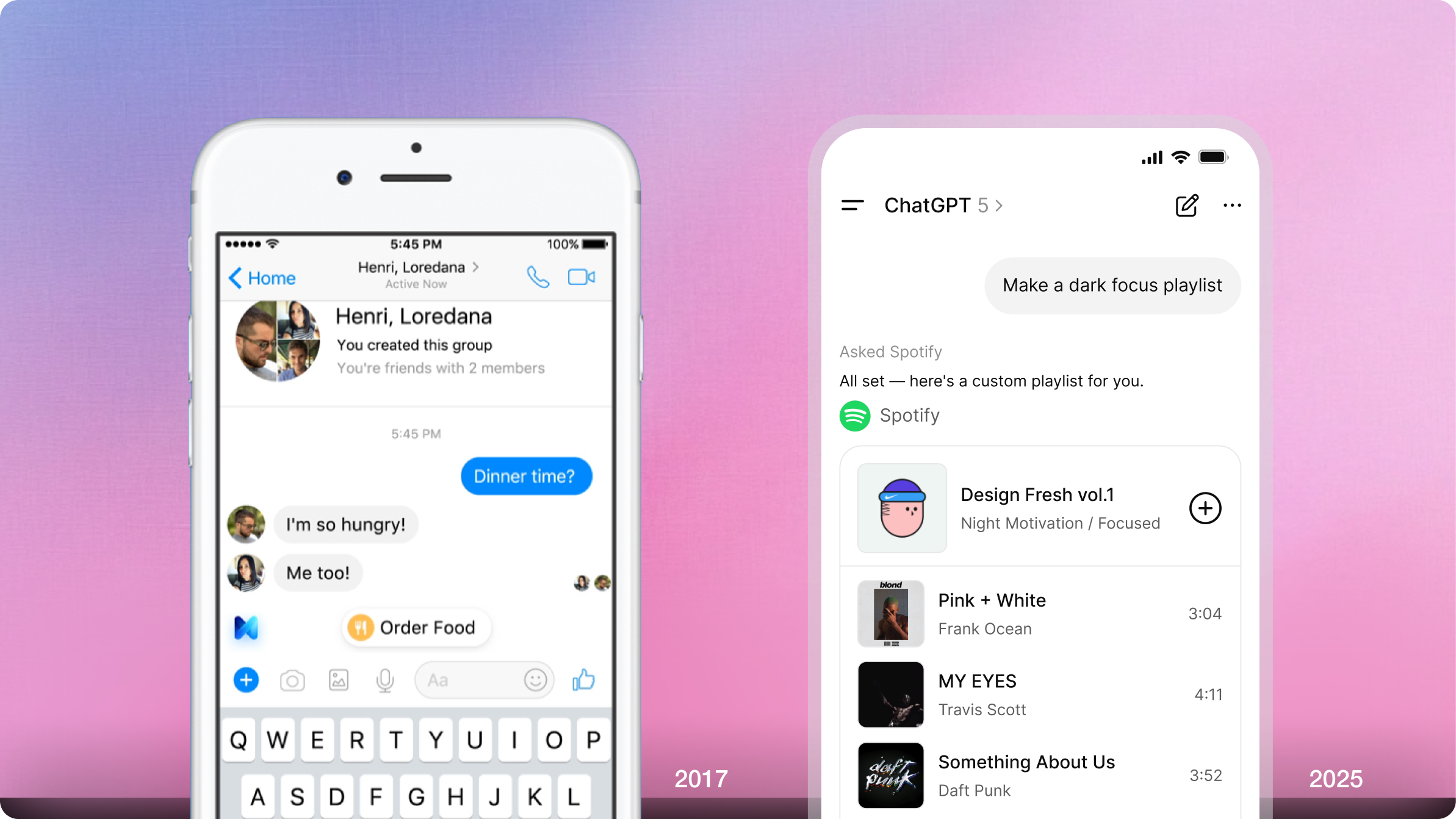
Ten years ago, we were building chatbots with basic NLP.
Back then, we already believed that language is the most natural interface humans have. But the technology? It wasn't quite there yet.
Fast forward to today, and the industry has finally caught up.
At Nimble, we've spent the past two years deep in the trenches of agentic AI: designing, prototyping, and shipping conversational experiences for healthcare, insurance, retail, and energy clients.
And last Thursday at the UX Ghent Meetup, we got to share what we've learned.
It felt wholesome. Not because we have all the answers, but because the questions are finally the right ones.
From reactive to agentic
Let's start with a shift in mindset.
Traditional software is reactive. It waits for clicks. You navigate to an app, perform an action, and it responds.
Agentic software is proactive. It observes, remembers, and acts. The app lives inside your own flow.
Reactive:
- Click → Screen
- App as destination
- You do the orchestration
Agentic:
- Intent → Outcome
- App as presence
- Software does the orchestration
It's a technical shift, as well as a design challenge.
Because when software starts acting on its own, the behavioral layer becomes impossible to ignore.
What is an agent, really?
Before we dive into design principles, let's ground ourselves in a definition.
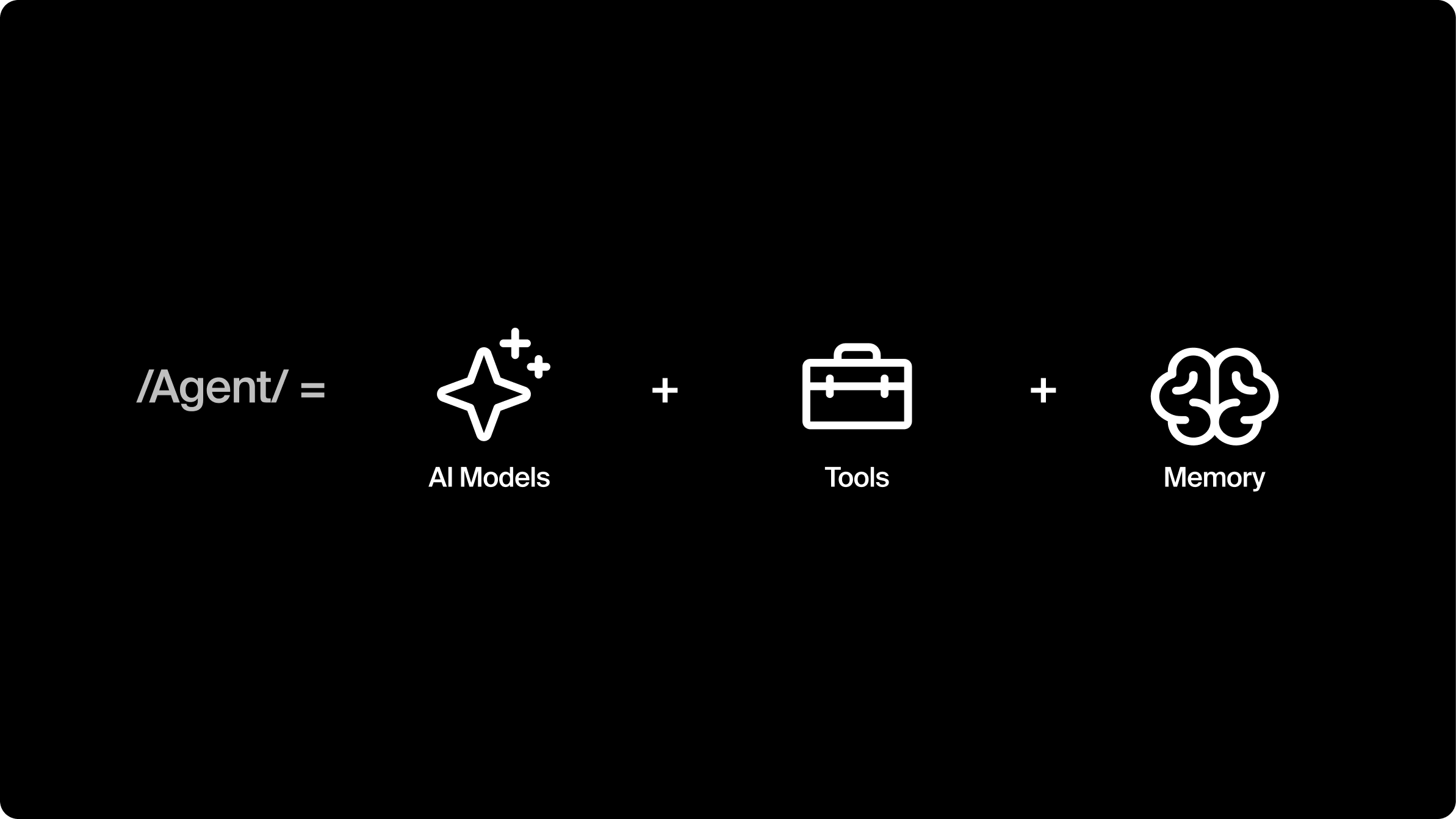
Dharmesh Shah, HubSpot's CTO, frames it beautifully: Agent = LLM + Memory + Tools
It's more than a chatbot. It can:
- It reasons (via the LLM)
- It remembers context across sessions
- It uses tools to take action in the world
OpenAI talks about "vibe-lifing" the idea that agents don't just answer questions, they set the tone and shape your experience over time.
This has huge implications for UX.
You're no longer designing for task completion. You're designing for ongoing, evolving relationships between users and software.
Related reading: Learn more about how we approach AI-native product development and the use cases we're building across industries.
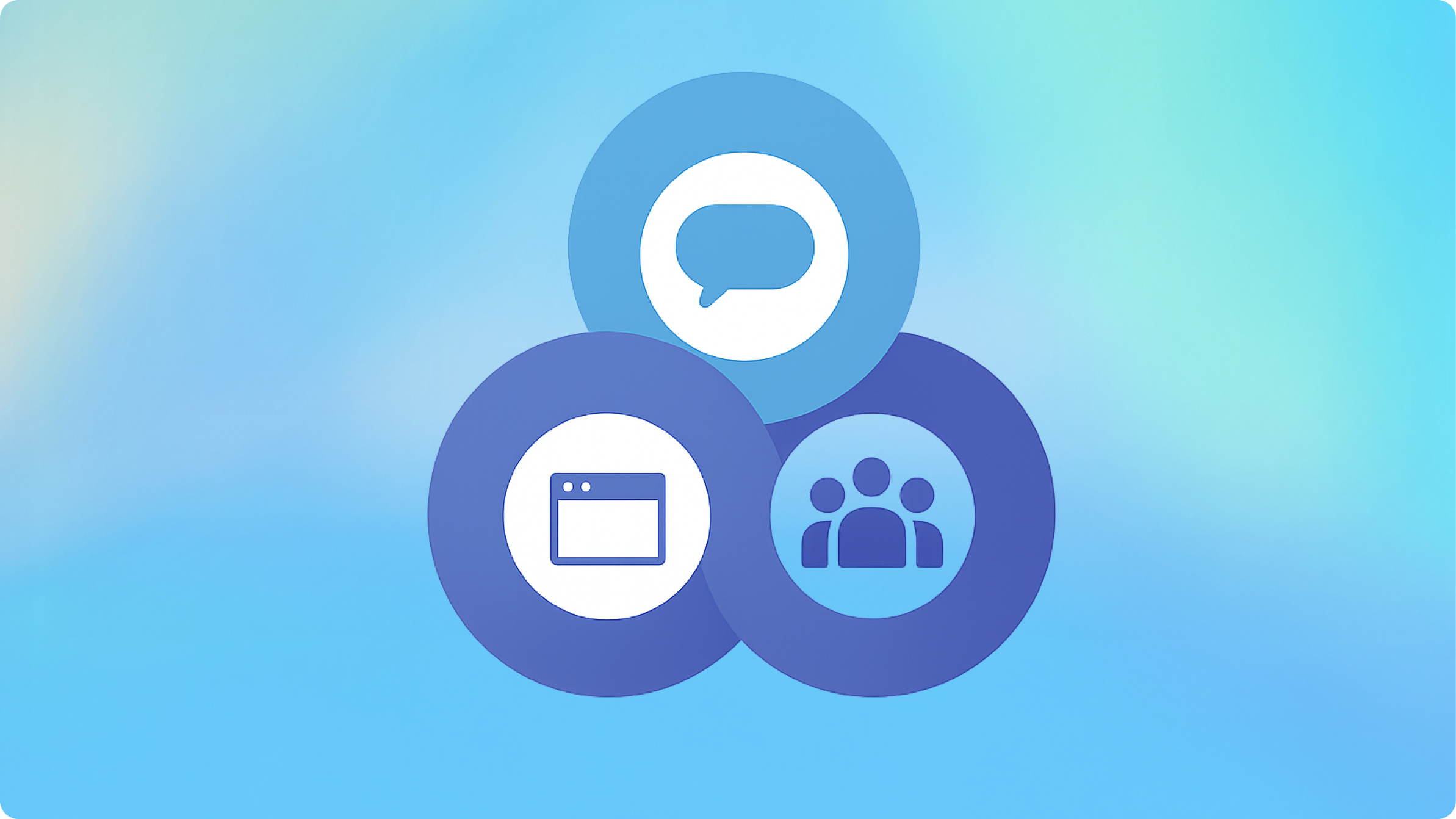
Recommendation 1: orchestrate CUI & GUI (and sometimes… group UI)
Here's the thing about chat interfaces:
Chat alone is overwhelming for complex tasks.
Benedict Evans calls chat a "blank interface". Powerful, but only if we shape it.
Pure conversation is great for ambiguous, exploratory requests. But once you need to compare options, edit details, or make a final decision? You need structure.
That's where GUI comes in.
Real example: Colruyt shopping flow
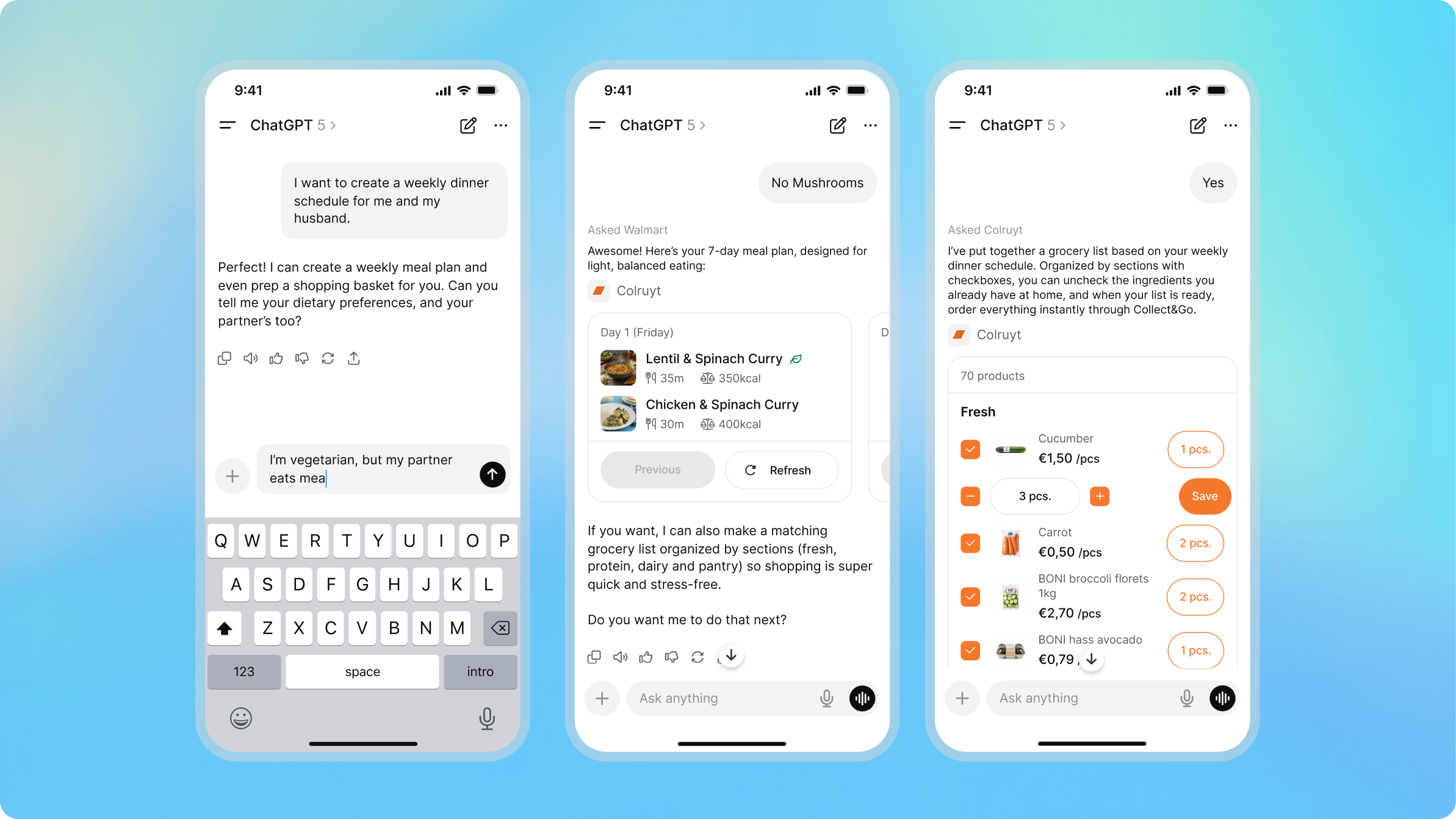
We prototyped a shopping assistant for Colruyt.
People loved starting with natural language:
"We're cooking veggie for 4 on Friday, budget €40"
The agent understands intent, dietary preference, serving size, and budget in one go.
But then? They want:
- A clear product list
- Quantities they can adjust
- Alternatives they can compare
- A cart they can edit
That's GUI territory.
Your job as a designer: is to choreograph the handoff between messy language and clean structure.
Don't Forget: Group Experiences
Here's a curveball: sometimes the "user" isn't a single person.
We saw this with a gift-giving agent. The real user was a group planning a surprise.
Same with trip planning for NimbleFest. Multiple people, a shared intent.
Agents need to understand:
- Who's in the conversation
- What's the shared goal
- How to surface options that work for everyone
ChatGPT's new shopping flows showcase this beautifully; cards, filters, and group decision-making baked in.
Recommendation 2: go where intent already lives
Distribution beats perfection.
You can build the world's best AI agent. But if users have to go out of their way to use it? You lose.
The aggregators own the demand. ChatGPT, Google, Siri, Alexa … these are the new gatekeepers.
Your agent is a guest, not the host.
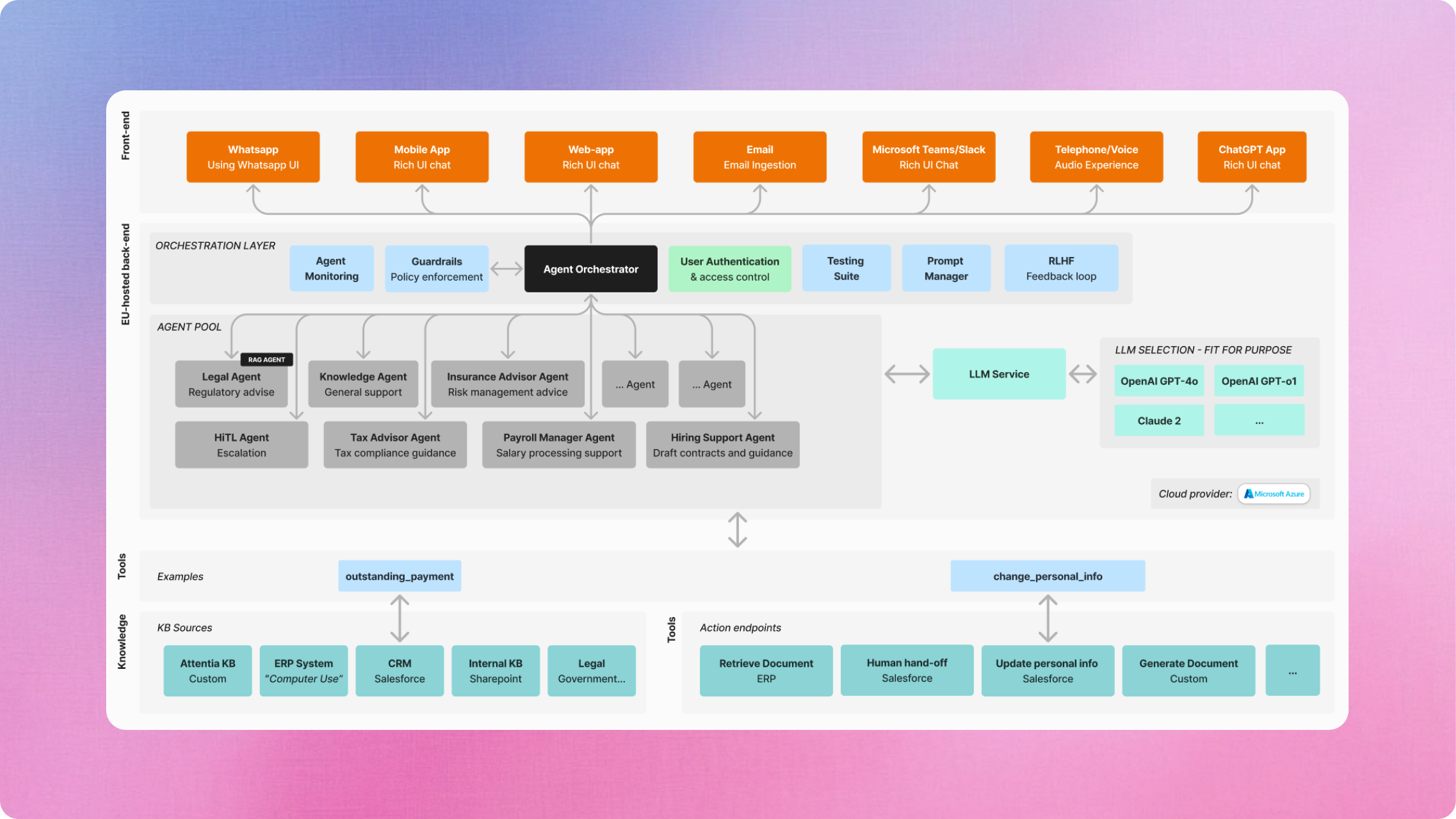
Real example: Attentia HR sidekick (multi-channel)
For Attentia, we're building Sidekick, an HR assistant that helps employees and HR teams with absence management, wellbeing support, and policy questions.
Here's the key insight: intent doesn't live in one place.
An employee might:
- Send an email: "I need to report sick leave for tomorrow"
- Ping in Microsoft Teams or Slack: "What's our WFH policy again?"
- Use the web platform to check their absence balance
- Text via WhatsApp (especially self-employed customers): "Can I still register for the wellness program?"
- Call the helpdesk and speak to a voice agent
Same agent brain. Multiple surfaces.
The agent:
- Detects the channel and intent
- Pulls the right context (employee record, policy docs, absence history)
- Responds in the same channel-or routes to a human if needed
- Syncs the interaction back to the HR platform
For self-employed customers, phone and WhatsApp are especially critical. These users aren't sitting in Microsoft Teams all day. They're on the road, between gigs, juggling clients.
So we meet them where they already are.
Sometimes "where they are" Is a phone call
In healthcare, many users aren't in apps at all.
They're on the phone. Often in a second language.
So we experiment with voice agents:
- Detect language
- Route to the right care path
- Send follow-up SMS
Same principle: meet users where intent already exists.
Recommendation 3: design for events, not sessions
Sean Falconer talks about the future of AI agents as event-driven.
Benedict Evans warns: AI only matters if it becomes part of daily life, not a weekend toy.
So here's the shift:
Don't just design the chat screen.
Design the moments that wake the agent up.

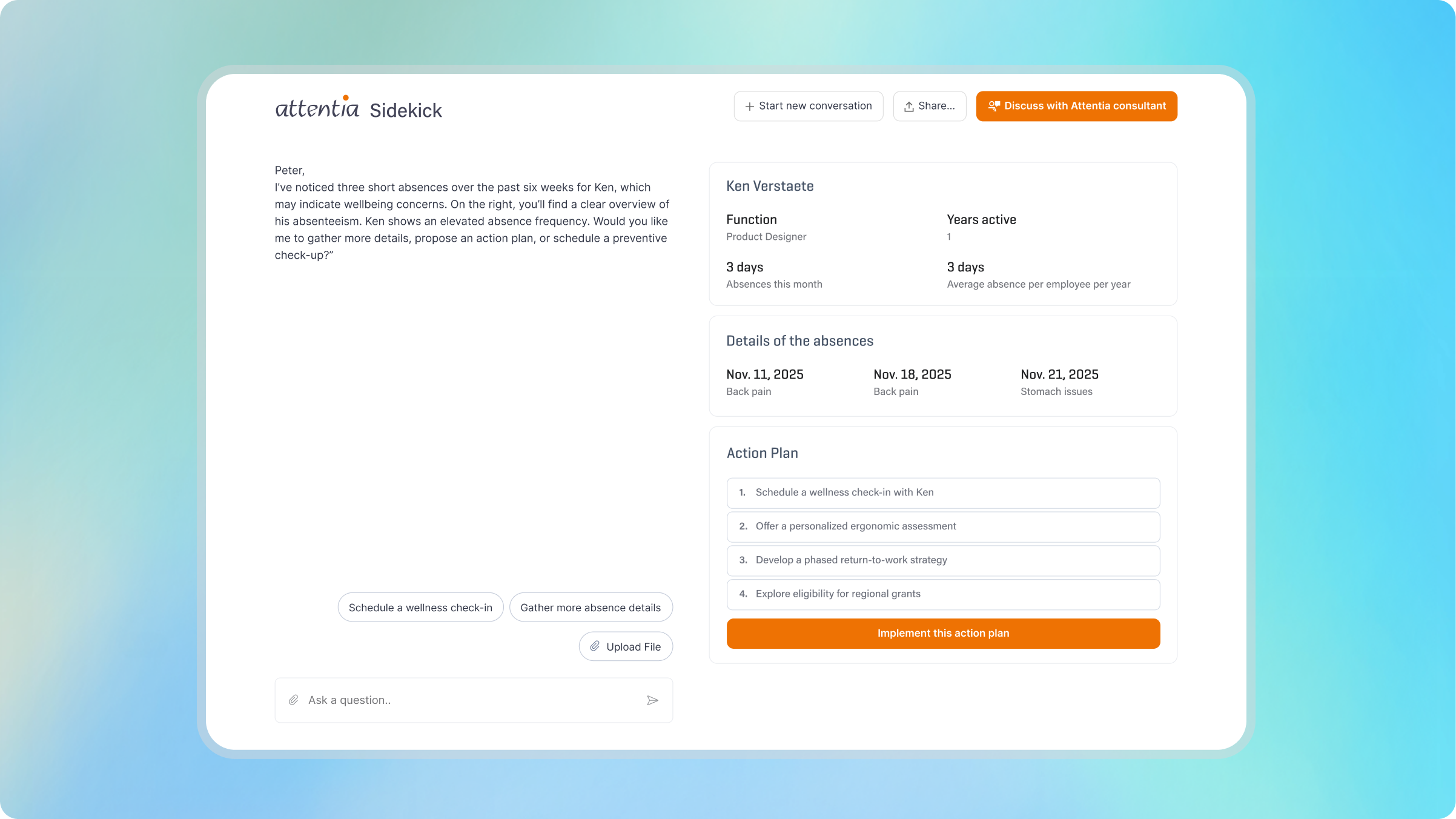
Real example: Attentia sidekick (absence pattern alert)
For Attentia, we're designing Sidekick, a proactive HR assistant.
Here's the trigger:
3 short absences in 6 weeks + wellbeing signals
What happens?
To the employee:
"We noticed a pattern in your recent absences. Everything ok? If needed, we can help plan your next medical check or propose an ergonomics check-up."
To HR:
"Employee X shows an elevated absence frequency. Would you like me to gather details, propose an action plan, or schedule a preventive check-up?"
This is UX.
You choose:
- The thresholds (what qualifies as a "pattern")
- The tone of voice (empathetic, not surveillance-y)
- The action options (what can the agent do vs. what requires a human)
Designers shape triggers through prompt engineering
Yes, you read that right.
Prompt engineering is a design skill now.
You're defining:
- When the agent acts
- How it phrases messages
- What options it surfaces
It's like writing microcopy. But for behavior.

Bonus: ship to learn, not to launch
Here's the uncomfortable truth:
Agents are probabilistic, not deterministic.
You can't spec your way to quality.
Ten years ago, we loved reading chatbot transcripts and tweaking flows. With agents, that's now a must, not a nice-to-have.
Observability is the new usability testing
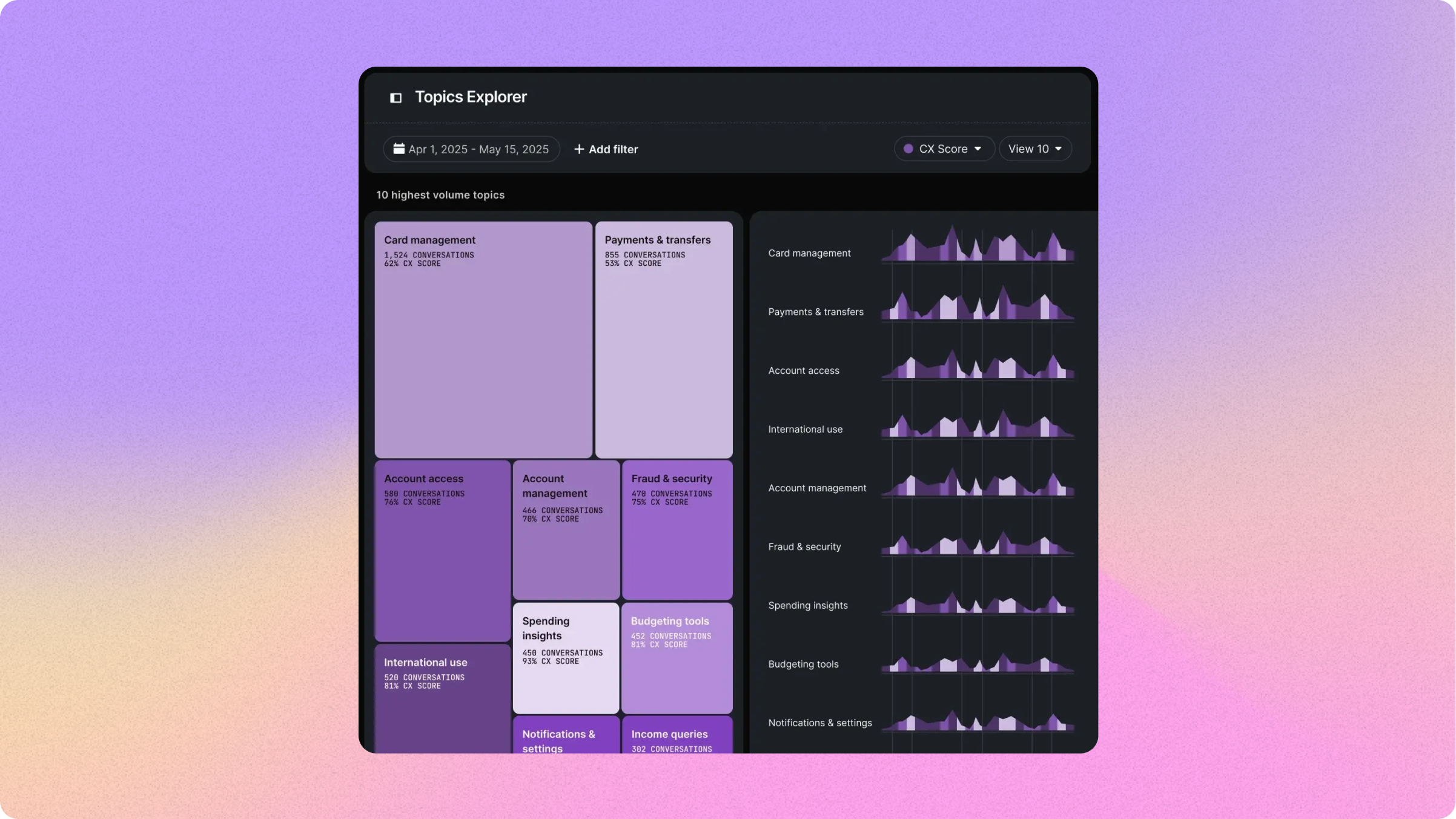
Tools like Langfuse and Raindrop turn the black box into a glass box.
You can see:
- Every conversation trace
- Tool calls and LLM responses
- Silent failures (when the agent confidently says nonsense)
- User frustration signals
For designers, this is gold.
It's like having continuous UX research built into your product.
Want to learn more? Check out how we build AI-native solutions with observability baked in.
Summary: three principles + one bonus
If you take away one thing, let it be this:
We've always designed behavior. But with agentic AI, that truth becomes impossible to ignore.
Here's your toolkit:
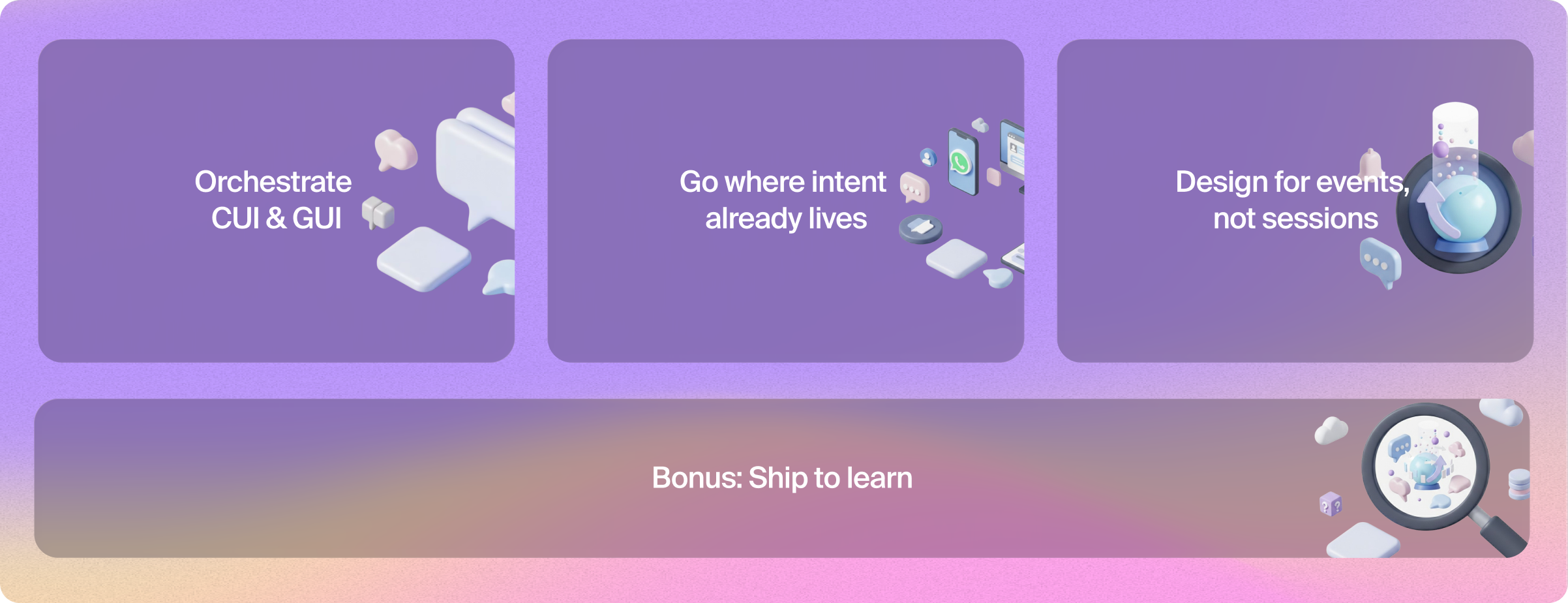
- Orchestrate CUI & GUI (and groups) → Balance conversation and structure
- Go where intent already lives → Distribution beats perfection
- Design for events, not sessions → Shape the triggers
- ⭐ Ship to learn with observability → Continuous iteration is your friend
Your turn: pick one flow
Here's a challenge:
Pick one flow in your product and ask:
- How would this look as a CUI+GUI agent?
- Where does this intent really live?
- What event could wake the agent up?
Then ship a tiny version. Watch it in Langfuse. Let the real world be your design mentor.
Ready to build?
At Nimble, we've spent the past two years deep in agentic AI, from strategy to shipped products.
We work with organizations in healthcare, insurance, energy, and beyond to turn AI ambitions into production-ready experiences.
Want to explore what's possible for your organization?
- Explore our AI Discovery Track
- See agentic AI use cases across industries
- Book a 25-minute discovery call
We're hiring designers, engineers, and strategists who want to shape the future of agentic experiences.